


|
Name |
Root Certificate Manager |
|---|---|
|
Category |
Tools |
|
Developer |
JoshTheMan |
| Last version | 1.0.1 |
|
Updated |
|
|
Compatible with |
Android 5.0+ |
Introduction to Root Certificate Manager
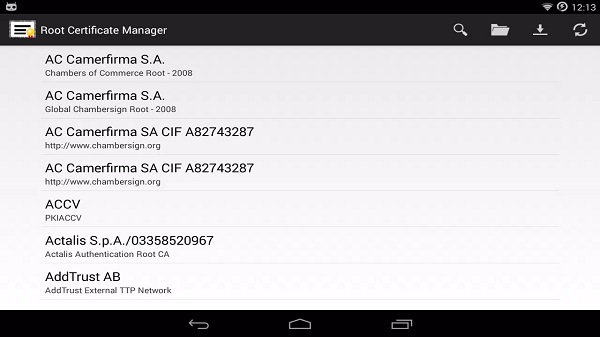
If your phone is rooted and you’ve ever wanted tighter control over the security certificates buried in your system, “Root Certificate Manager” might be the quiet hero you didn’t know you needed. This is not your average Android app it’s a technical utility tool built for users who know their way around Android internals. It lets you peek into, tweak, and clean up the system’s security certificate list without asking for a lock screen password. It’s straightforward, powerful, and designed for those who prefer handling things their own way.
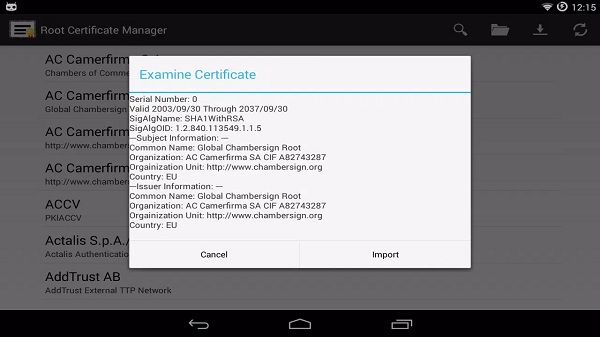
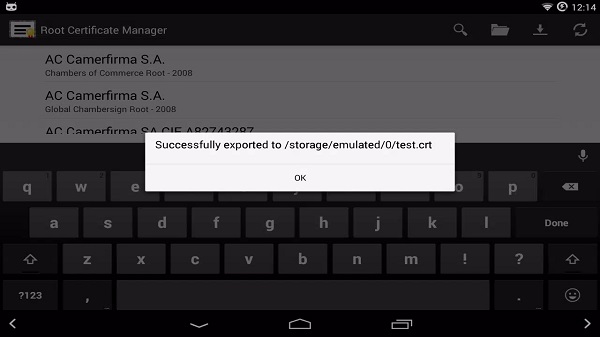
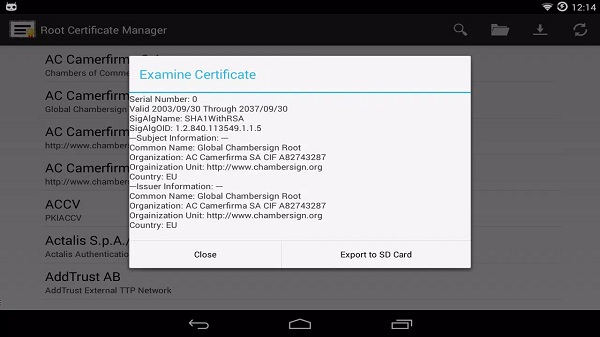
Root Certificate Manager was built specifically for Android 4.0+ devices (starting from Ice Cream Sandwich), and yes you absolutely need root access for this to work. With root access, the app becomes your personal certificate gatekeeper. You can inspect every root certificate stored in your system, decide what stays, and clean out what feels sketchy. And if you need backups? No sweat. You can export certificates to your SD card, or even import them back from either local storage or directly through a website using HTTPS.
It’s not flashy, and it’s not here to entertain you. This app exists for one reason only: giving rooted users full transparency and control over security certificates. This becomes super useful if you’re into privacy tweaks or need to test custom configurations especially if you’re running older Android versions or using emulated environments where certificate handling matters more than ever.
One thing that’s cool is how it bypasses the usual Android lock screen hurdle. Normally, to mess around with system-level certificates, Android wants you to enable a screen lock. But Root Certificate Manager? It doesn’t bother with that. It skips the fuss and just lets you manage certificates straight from the app no PINs, no passwords, no delays.
Now here’s the catch: if you’re on a Marshmallow device using ChainFire’s SuperSU, the delete function won’t work. That’s due to how that particular root management tool restricts system file modifications. So if you’re running that combo, don’t expect full functionality but for most other setups, it runs without drama.
The interface might feel a bit old-school, but the functionality makes up for it. This app isn’t trying to impress with aesthetics it’s all about letting rooted users handle certificate permissions with precision. Whether you’re working in cybersecurity, customizing ROMs, or just want a cleaner system cert environment, it puts that power right in your hands.
So yeah, Root Certificate Manager is niche. It’s technical. But if you’re part of the crowd who needs what it offers, it does its job without compromise. In a sea of Android apps trying to do too much, this one keeps it real and that’s the point.
FAQs Root Certificate Manager
1. What is Root Certificate Manager?
+
Root Certificate Manager is a utility app for rooted Android devices that allows users to manage system-level security certificates directly.
2. Can I use Root Certificate Manager without rooting my phone?
+
Nope, this app requires full root access to function. If your device isn’t rooted, it won’t work.
3. What can I do with the certificates using this app?
+
You can view, delete, export to SD card, import from SD card, or grab new certificates via HTTPS from a website.
4. Why doesn’t delete work on some devices?
+
If you're using Android Marshmallow with ChainFire's SuperSU, system modifications (like deleting certificates) are blocked for security reasons.
5. Is it safe to remove root certificates from my system?
+
Only if you know what you're doing. Deleting essential certificates could mess with app or site access—proceed carefully.
Discover More Interesting Apps
-

Theick.io
v0.4.8
29 MB
Updated -
Mod
Remote Mouse Pro
v5.306
63 MB
Updated -
Mod
TLS Tunnel
v7.2.6
27.95 Mb
Updated -
Ace Stream
v3.2.19.5
107.59 Mb
Updated -
90 FPS
v11.4
16.02 Mb
Updated -
Mod
Medix
v1.4.0
69.80 Mb
Updated -
Mod
Multi App
v2.7.0
37.47 Mb
Updated -
Sophon
v1.0.54.1
65.80 Mb
Updated -
Mod
SWAP - No ROOT
vv4.8.8
8.41 Mb
Updated -
Ultimate USB
v10.1.1
71.06 Mb
Updated










Share Your Thoughts